
Anúncios
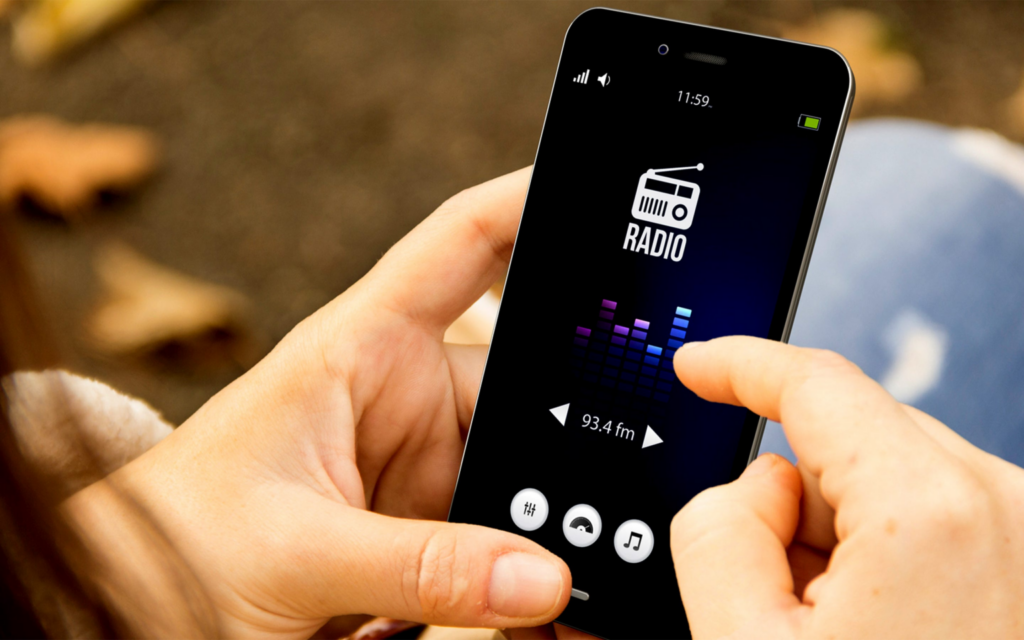
Streaming audio has changed forever how people enjoy music, news, and talk shows — radio apps bring thousands of stations straight to your phone. 📻
Traditional FM/AM receivers still have their place, but a good radio app turns your smartphone into a portable tuner with access to stations from every corner of the globe. No antenna, no static, no geographic limits.
Whether you want local traffic updates, a niche jazz station from another continent, or a 24/7 news channel, there’s an app built for that purpose. This guide breaks down what matters most when picking one.
Why Radio Apps Still Matter in 2024#
Podcasts and music streaming services dominate headlines, but live radio hasn’t disappeared — it’s evolved. Millions of listeners still tune in daily for real-time updates, local personality, and the simple comfort of a curated broadcast.
Radio apps solve a practical problem: **accessibility**. A small-town station in Portugal or a sports talk show in Texas becomes reachable from anywhere with internet access. This global reach is something satellite radio or old transistor sets never offered.
- Instant access to over 50,000 stations worldwide in some apps
- Zero signal loss — streaming quality stays consistent regardless of distance
- Built-in discovery tools for genres, languages, and countries
- Offline recording features in select premium apps
Key Features to Look For Before Downloading#
Not every radio app delivers the same experience. Some prioritize a massive station catalog, while others focus on sound quality or a clean interface. Before committing, check these core features.
Station Library Size and Variety#
A strong app should offer stations across multiple categories — news, sports, electronic, classical, talk radio — and from different countries. Apps with fewer than 10,000 stations often leave gaps in niche genres or smaller regional broadcasters.
Audio Streaming Quality#
Bitrate matters. Look for apps that stream at 128kbps or higher for FM-quality sound. Lower bitrates save data but introduce noticeable compression artifacts, especially on music-heavy stations.
Sleep Timers and Alarms#
Many users fall asleep listening to talk radio or ambient stations. A built-in sleep timer prevents battery drain overnight, while alarm integration lets you wake up to your favorite station instead of a generic tone.
Offline Favorites and Caching#
Some apps let you save favorite stations for quicker access, even caching recent streams for brief offline playback during connectivity drops — useful during commutes through tunnels or rural areas.
Comparing Popular Radio App Categories#
Radio apps generally fall into three functional types. Understanding the difference helps you choose based on your actual listening habits rather than just download numbers.
| App Type | Best For | Typical Station Count | Data Usage |
|---|---|---|---|
| Aggregator Apps | Global discovery, variety | 20,000–50,000+ | Moderate (adjustable bitrate) |
| Single-Network Apps | Loyal listeners of one broadcaster | 5–50 stations | Low to moderate |
| News-Focused Apps | Breaking news, talk shows | 100–500 curated stations | Low (mostly speech audio) |
Aggregator apps tend to be the most versatile choice for everyday listeners who want flexibility without juggling five separate apps.
How Much Data Does Streaming Radio Actually Use#
This question comes up constantly, especially for listeners on limited mobile plans. The answer depends entirely on **bitrate settings**.
- At 64kbps: roughly 28MB per hour — fine for talk shows and news
- At 128kbps: around 56MB per hour — standard for music stations
- At 320kbps: nearly 140MB per hour — reserved for audiophiles on Wi-Fi
If you commute daily and rely on mobile data, dropping to 64-96kbps for speech content saves significant bandwidth without a noticeable quality hit.
Setting Up Your First Radio App the Right Way#
Getting started takes less than five minutes, but a few setup choices early on make a real difference in daily usability.
- Download and grant permissions — most apps need background audio access and notification permissions for playback controls
- Search by location first — find your local stations before exploring international ones
- Star your favorites — this builds a personalized quick-access list
- Adjust streaming quality in settings based on your data plan
- Enable sleep timer defaults if you plan to listen before bed

Simple Radio: Live AM FM Radio
Installs50M+
Size105.4MB
PlatformAndroid/iOS
PriceFree
Information about size, installs, and rating may change as the app is updated in the official stores.
Common Problems and Practical Fixes#
Even reliable apps run into occasional hiccups. Here’s how to troubleshoot the most frequent complaints users report.
Stream Buffering or Cutting Out#
This usually points to weak Wi-Fi or mobile signal. Switching to a lower bitrate stream often resolves intermittent cutouts, since the app requires less continuous bandwidth to maintain playback.
Station Suddenly Unavailable#
Radio stations occasionally change their streaming URLs or temporarily go offline for maintenance. Good apps refresh their directory automatically, but reporting broken links through in-app feedback speeds up fixes.
Background Playback Stopping#
On some Android devices, aggressive battery optimization kills background apps. Whitelisting your radio app in battery settings prevents the OS from force-closing the stream mid-playback.
Radio Apps vs Music Streaming Platforms#
It’s worth clarifying the distinction, since these tools serve different purposes despite some overlap.
- Radio apps deliver live, scheduled broadcasts with DJs, news segments, and real-time content you can’t rewind or skip
- Music streaming platforms offer on-demand tracks, playlists, and algorithm-driven recommendations
- Radio connects listeners to a shared, live moment — something algorithmic playlists can’t replicate
Many people use both: music streaming for focused listening sessions, radio apps for discovery, local news, and that unpredictable element of live broadcasting.
Choosing the Right App for Your Listening Style#
Your ideal radio app depends on specific habits. A commuter prioritizing local traffic reports needs different features than someone exploring underground electronic music from Berlin.
Consider these quick questions before downloading:
- Do you listen mostly for news and talk, or music discovery?
- Is data usage a real concern, or do you mostly stream over Wi-Fi?
- Do you need offline access for areas with spotty connectivity?
- Would sleep timers and alarms add real value to your routine?
Answering these honestly narrows the field quickly and prevents the common mistake of downloading an app packed with features you’ll never actually use.
Live radio keeps finding new life through mobile apps, proving that the format adapts rather than fades. With the right app installed, your phone becomes a gateway to broadcasts from thousands of cities — no dial-turning required. 🎧
Keep reading
You might also like
Best Remote Control Apps for Your Devices in 2024
Remote control apps turn your smartphone into a universal clicker for TVs, streaming boxes, air conditioners, and more — no extra hardware…
Best Remote Control App Solutions for Smart Devices
Turning your phone into a universal remote sounds simple, but picking the right **remote control app** can transform how you manage every…