
Anúncios
Remote control apps turn your smartphone into a universal clicker for TVs, streaming boxes, air conditioners, and more — no extra hardware required. 📱
Losing a physical remote is one of those small daily frustrations almost everyone has faced. A remote control app solves that problem instantly, using infrared sensors or Wi-Fi connections already built into most modern phones.
Beyond convenience, these apps have evolved into genuinely powerful tools. They now support multiple device brands, offer customizable layouts, and even integrate with smart home ecosystems for broader automation.
How Remote Control Apps Actually Work#
Most smartphone remote apps rely on one of two technologies: infrared (IR) blasters or Wi-Fi/Bluetooth connections. Understanding the difference helps you pick the right app for your setup.
Phones with a built-in IR blaster — common in many Android models — can directly mimic traditional remotes, sending the same infrared signals used by TVs, air conditioners, and sound systems.
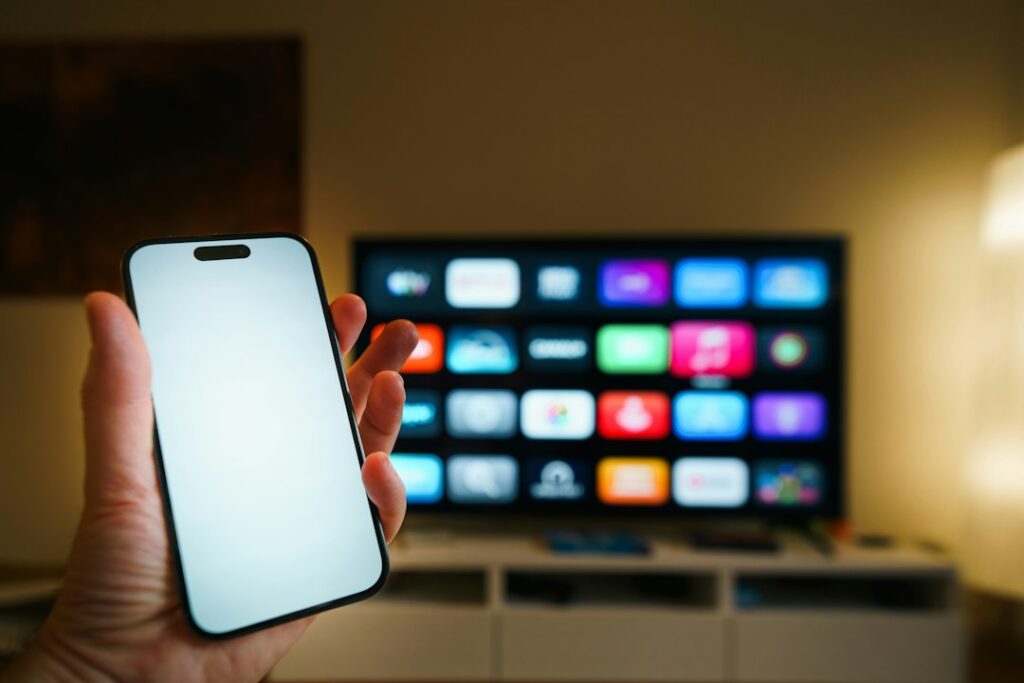
Devices without an IR blaster, including most iPhones, instead use Wi-Fi to communicate with smart TVs, streaming devices, and connected appliances through local network protocols.
- Infrared control: works with older TVs, ACs, and basic electronics
- Wi-Fi control: works with smart TVs, Roku, Fire TV, Chromecast, and similar devices
- Bluetooth control: used mainly for soundbars, speakers, and some smart displays
Checking If Your Phone Supports IR Control#
Not every phone includes an infrared emitter. Brands like Xiaomi, Samsung (select models), and Huawei have historically included this feature, while Google Pixel and most iPhones do not.
To check, open your phone’s specifications page or simply search “[your phone model] + infrared blaster” online. If it’s absent, Wi-Fi-based remote apps remain fully functional for smart devices.
Top Features That Separate Good Apps From Great Ones#
Not all remote control apps deliver the same experience. Some feel clunky and outdated, while others offer smooth, intuitive control across dozens of brands.
| Feature | Why It Matters |
|---|---|
| Multi-brand compatibility | Lets you control TVs, ACs, and streaming boxes from different manufacturers with one app |
| Customizable button layout | Reduces screen clutter and speeds up access to frequently used functions |
| Offline functionality | Infrared-based control doesn’t require internet, unlike many Wi-Fi remotes |
| Voice command support | Allows hands-free operation through built-in or third-party voice assistants |
| Macro or scene creation | Combines multiple actions into one tap, like turning on the TV and switching inputs simultaneously |
Apps that combine several of these features tend to replace physical remotes entirely, rather than just serving as a backup option.
Setup Speed: A Real Differentiator#
Setup time varies dramatically between apps. Some require scanning a QR code or entering a brand name, pairing devices in under a minute. Others demand manual code entry, testing dozens of combinations until the correct signal is found.
Apps with **auto-detection** technology scan common frequency codes automatically, cutting setup time from several minutes down to just a few seconds in most cases.
Common Use Cases Beyond the Living Room TV#
While most people associate remote apps with television control, their practical applications extend much further into daily routines.
- Air conditioning units: adjust temperature and modes without hunting for the original remote
- Projectors: control presentations or home theater setups from across the room
- Sound systems: manage volume and playback for soundbars and stereo receivers
- Smart fans and heaters: many seasonal appliances still rely on basic IR remotes
- Hotel room electronics: useful when traveling and physical remotes are missing or broken
This versatility is exactly why remote control apps have grown beyond a niche convenience into a genuinely useful category of mobile software.
Multi-Room and Multi-Device Management#
Families with several TVs, each from different brands, often struggle juggling multiple remotes. A single universal app consolidates control across every room, with saved device profiles switching instantly between them.
This becomes particularly valuable in households with elderly users or children, where simplifying the interface to one familiar app reduces confusion significantly.

Universal Remote Control
Installs10M+
Size159.1MB
PlatformAndroid/iOS
PriceFree
Information about size, installs, and rating may change as the app is updated in the official stores.
Comparing Infrared vs Wi-Fi Based Control in Practice#
Choosing between infrared and Wi-Fi control isn’t just a technical detail — it directly affects range, reliability, and compatibility with your existing devices.
| Aspect | Infrared (IR) | Wi-Fi/Smart Connection |
|---|---|---|
| Range | Line-of-sight, typically 5-10 meters | Works anywhere on the same network |
| Internet required | No | Usually yes |
| Device compatibility | Most older TVs, ACs, basic electronics | Smart TVs, streaming boxes, connected appliances |
| Setup complexity | Moderate — may require code matching | Usually simple, automatic discovery |
Many modern apps combine both technologies, automatically detecting which method applies to each connected device, so users rarely need to choose manually.
Battery and Performance Considerations#
Infrared control typically uses less battery since it doesn’t require constant network communication. Wi-Fi-based remotes, by contrast, maintain an active connection, which can drain battery slightly faster during extended use sessions.
For daily short bursts of use — turning on a TV, adjusting volume — this difference is negligible. It becomes more noticeable only with apps running continuous background scanning for smart home devices.
Privacy and Permissions Worth Understanding#
Remote control apps often request permissions like network access, Bluetooth, and sometimes location services (required by Android for Wi-Fi scanning, even when GPS isn’t actually used).
Before installing, check which permissions are requested and whether they align with the app’s actual functionality. A basic IR remote app shouldn’t need access to contacts or camera, for example.
- ✅ Network access — needed for Wi-Fi/smart device control
- ✅ Bluetooth — needed for speaker and soundbar pairing
- ⚠️ Location — sometimes required by Android system rules, not for tracking
- 🚫 Contacts, camera, microphone — generally unnecessary for a remote app
Reading app store reviews often reveals whether a specific app has a history of excessive data collection or unexpected ad behavior.
Choosing a Reliable App From the Store#
With dozens of similar apps available, a few practical checks help filter quality options quickly. Look at the **update frequency** — apps updated within the last few months tend to maintain better device compatibility.
Check review counts and recent ratings rather than overall averages, since older reviews may reflect outdated versions. Finally, confirm the app supports your specific TV or appliance brand before relying on it as your primary remote.
Downloading a well-reviewed, regularly maintained app saves considerable frustration compared to testing multiple unreliable alternatives. The investment of a few extra minutes during selection pays off through smoother daily use for months or years afterward.
Keep reading
You might also like
Best Remote Control App Solutions for Smart Devices
Turning your phone into a universal remote sounds simple, but picking the right **remote control app** can transform how you manage every…
Best Photo and Video Editor App for Mobile Users
Editing photos and videos on your phone has never been more powerful, letting anyone create polished content without expensive software or technical…