
Anúncios
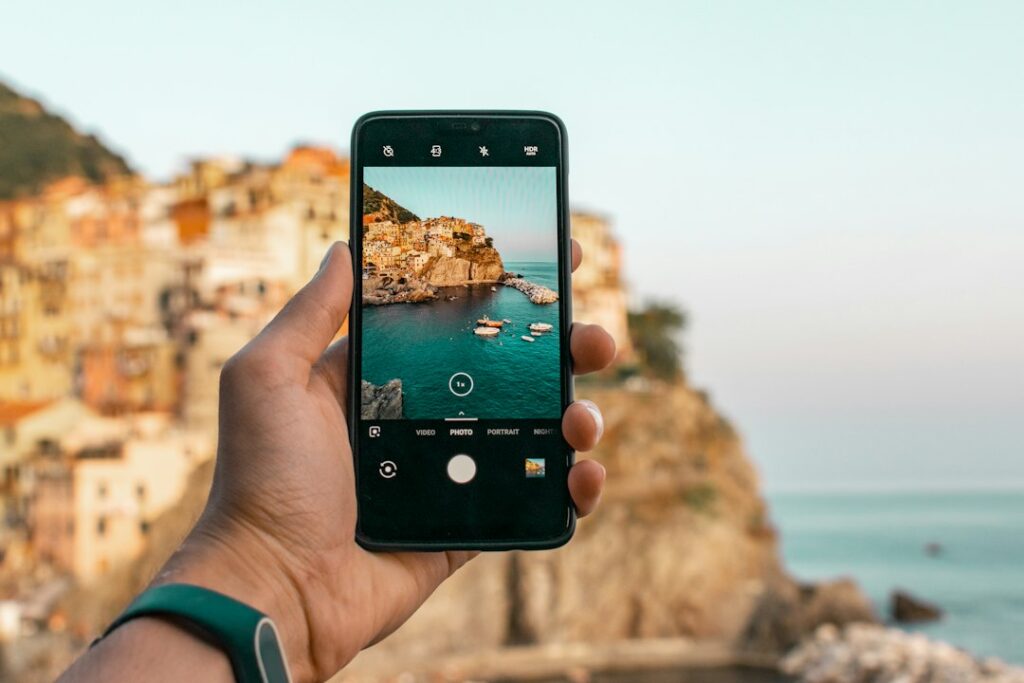
Editing photos and videos on your phone has never been more powerful, letting anyone create polished content without expensive software or technical training. 📱✨
Whether you’re running a small business, managing social media accounts, or just documenting everyday moments, a reliable photo and video editor app has become essential equipment. The right tool can turn a mediocre snapshot into scroll-stopping content.
This guide breaks down what makes these apps genuinely useful, how to pick one that fits your workflow, and practical techniques that actually improve your results.
Why Mobile Editing Apps Replaced Desktop Software for Most Users#
Five years ago, serious editing meant sitting at a computer with Photoshop or Premiere Pro open. That’s changed dramatically.


Modern phone processors now handle tasks that once required dedicated graphics cards. A photo and video editor app running on a mid-range smartphone can apply real-time filters, stabilize shaky footage, and render HD exports in seconds.
The shift makes sense for a few concrete reasons:
- Speed to publish: You capture, edit, and post within minutes instead of transferring files between devices.
- Lower cost barrier: Most mobile editors offer free tiers with optional premium upgrades, compared to monthly desktop subscriptions.
- Touch-based precision: Cropping, masking, and drawing with a finger or stylus often feels more intuitive than mouse-based tools.
- Built-in templates: Social media formats (Stories, Reels, carousels) come pre-sized, removing guesswork.
None of this means desktop software is obsolete. Professional colorists and VFX artists still rely on specialized tools. But for daily content creation, mobile apps now cover 80-90% of common editing needs.
Core Features That Separate Good Apps From Mediocre Ones#
Not every editing app delivers the same value. Here’s what actually matters when comparing options.
Layer-Based Editing#
Apps that support multiple layers let you stack text, graphics, and photos independently. This matters because you can adjust one element — say, a logo — without disturbing the background image or other overlays.
Apps lacking layer support force you to flatten everything at once, making corrections frustrating and often requiring you to start over.
Video Trimming and Multi-Track Timelines#
Basic trimming (cutting the start and end of a clip) is standard. Better apps offer multi-track timelines where you can layer music, voiceover, and multiple video clips simultaneously, similar to simplified versions of desktop editors.
AI-Powered Background Removal#
This feature has improved enormously. What used to require manual masking now happens in one tap. AI background removal works well on people and solid objects, though it can still struggle with complex edges like hair or fur.
Preset Filters vs. Manual Color Grading#
Filters give quick, consistent results. Manual grading (adjusting shadows, highlights, saturation, and hue individually) gives more control but takes longer to master. The best apps offer both, letting beginners start with presets and advance to manual tools later.
| Feature | Beginner-Friendly | Advanced Control |
|---|---|---|
| Preset filters | ✅ Instant results | ⚠️ Limited customization |
| Manual color grading | ⚠️ Learning curve | ✅ Full creative control |
| AI auto-enhance | ✅ One-tap fix | ⚠️ Less precision |
| Layer-based editing | ⚠️ Requires practice | ✅ Non-destructive edits |
Practical Workflow: Editing a Photo in Under Five Minutes#
Here’s a realistic sequence that applies to most popular editing apps:
- Step 1 — Crop and straighten: Fix the horizon line and remove distracting edges first. This affects every decision that follows.
- Step 2 — Adjust exposure and contrast: Brighten shadows, pull back blown-out highlights.
- Step 3 — Correct white balance: Remove unwanted color casts (too yellow, too blue) before adding creative color.
- Step 4 — Apply selective sharpening: Focus sharpening on the subject rather than the whole frame to avoid noise.
- Step 5 — Add final touches: Text overlays, stickers, or a signature filter, kept minimal.
Following this order prevents a common mistake: applying filters first, then realizing the crop or exposure needs fixing, which forces you to redo color work.
Video Editing Basics That Make a Visible Difference#
Video editing intimidates more people than photo editing, but a few habits produce noticeable improvements quickly.
Cut on Action, Not on Silence#
Transitions feel smoother when you cut during movement (a hand gesture, a turn, a step) rather than during a pause. This technique, borrowed from film editing, hides jump cuts naturally.
Match Audio Levels Before Adding Music#
Background music that overpowers dialogue is the most common amateur mistake. Most editor apps include a waveform view — use it to keep voice audio consistently louder than music tracks.
Keep Text Overlays On Screen Long Enough to Read#
A general rule: captions or text need at least three seconds on screen, or roughly one second per five words, whichever is longer. Faster than that, viewers miss the message entirely.
Platforms like Instagram Reels and TikTok reward videos with strong retention in the first three seconds, so trimming dead air at the start matters more than polishing the ending.
Choosing Between Free and Paid Versions#
Most photo and video editor apps use a freemium model. Understanding what’s actually locked behind a paywall helps you decide if upgrading makes sense.
- Free tiers usually include basic cropping, filters, and export in standard resolution (often with a watermark).
- Paid tiers typically unlock 4K export, watermark removal, premium template libraries, and advanced AI tools like object removal or voice cloning.
- Subscription costs range widely — from $5 to $15 monthly depending on the app and feature depth.
If you post content occasionally, the free version often covers your needs. Creators publishing daily or working professionally usually find the subscription pays for itself through time saved and higher-quality output.

Canva: AI Photo & Video Editor
Size5GB
PlatformAndroid/iOS
PriceFree
Information about size, installs, and rating may change as the app is updated in the official stores.
Common Mistakes That Hurt Your Final Result#
Even with great tools, certain habits consistently produce weaker output. Watching for these saves time and frustration.
Over-Sharpening and Over-Saturating#
Pushing sliders to maximum creates an artificial, almost cartoonish look. Subtle adjustments — increasing saturation by 10-15% rather than 50% — preserve a natural appearance while still enhancing the image.
Ignoring Export Settings#
Exporting at low resolution to save storage space backfires when content gets shared or reposted. Always export at the highest resolution your platform supports, then let the platform compress it during upload.
Using Too Many Effects at Once#
Combining five filters, three text animations, and transition effects in a single 15-second clip overwhelms viewers. Restraint usually produces more professional-looking results than maximalism.
Matching the App to Your Content Type#
Different creators have different priorities, and no single app dominates every category.
| Content Type | Priority Feature |
|---|---|
| Social media posts | Pre-sized templates, quick filters |
| Short-form video (Reels/TikTok) | Trending audio library, text animation |
| Product photography | Background removal, precise color correction |
| Long-form video (YouTube) | Multi-track timeline, audio mixing |
| Portrait photography | Skin retouching, selective sharpening |
Identifying your primary content type before downloading an app saves time. Testing three or four apps against your specific needs reveals which interface and feature set actually fits your workflow, rather than relying on general popularity rankings.
Building a Consistent Editing Style Over Time#
Audiences respond to recognizable aesthetics. Accounts with a consistent color palette, filter style, or text treatment tend to build stronger visual identity than those that change styles every post.
A practical approach: create a custom preset or save your preferred adjustment settings after finding a combination you like. Apply that same starting point to future edits, then make small adjustments based on lighting conditions rather than starting from zero each time.
This habit cuts editing time significantly after the first few weeks, since you’re refining an established look instead of making every decision from scratch.
Mobile editing tools keep narrowing the gap with professional software, and the learning curve keeps getting shorter. Picking one app, learning its specific tools well, and applying these fundamentals consistently will do more for your content quality than constantly switching between the newest options on the market.
Keep reading
You might also like
Best Remote Control Apps for Your Devices in 2024
Remote control apps turn your smartphone into a universal clicker for TVs, streaming boxes, air conditioners, and more — no extra hardware…

Best Remote Control App Solutions for Smart Devices
Turning your phone into a universal remote sounds simple, but picking the right **remote control app** can transform how you manage every…